Patterns
The ready-made block arrangements Barbican ships — a starting layout for every public page, yours to rearrange.
A pattern is a ready-made arrangement of blocks you can drop onto a page as a starting point. It’s a standard WordPress feature, and it’s how Barbican gives you a complete page layout without locking you into it: you insert the pattern, then the result is just ordinary blocks you rearrange, restyle, or remove. There’s no ongoing link back to the pattern — once inserted, the layout is yours.
This is the same composition the pages are seeded from. Seen from the page side, Barbican “sets up a Properties page”; seen from here, that page is the Barbican Properties Page pattern. Understanding the patterns is understanding how every Barbican page is built.
The patterns Barbican ships
Section titled “The patterns Barbican ships”All of Barbican’s patterns live under a Barbican category in the block inserter. There are two kinds.
Whole-page patterns — a complete layout for each public page:
| Pattern | Builds |
|---|---|
| Barbican Properties Page | The listings browse page (breadcrumbs, office name, heading, filter + list) |
| Barbican Property Page | A single listing (gallery, headline, map, open house, description, rooms, spec, contact, scheduler) |
| Barbican Agents Page | The agent directory |
| Barbican Agent Page | A single agent (header, badges, brokerage, bio, contact, listings, licenses) |
| Barbican Open Houses Page | The upcoming open houses list |
| Barbican Open House Page | A single event |
| Barbican Office Page | The full office profile (header, bio, address, contact, branches, broker, team, listings, credentials) |
Section patterns — a smaller, reusable piece:
| Pattern | Builds |
|---|---|
| Barbican Office Header | The office masthead: banner image, logo, and name |
| Barbican Agent Header | The agent masthead: headshot and name, side by side |
A pattern is just blocks
Section titled “A pattern is just blocks”To see what “ready to rearrange” means, here’s what the Barbican Property Page pattern actually is — a stack of individual blocks, in order:
Breadcrumbs → Gallery → Headline → Map → Open house → Description → Rooms → Unit types → Green features → Green verification → Power production → Spec → Contact → Showing scheduler.
Every one of those is a separate block you can move, delete, or configure on its own. Want the map above the gallery? Drag it. Don’t offer showings? Delete that block. Prefer to lead with the contact card? Move it up. The pattern is only a sensible default order.
Using a pattern
Section titled “Using a pattern”-
Edit the page (or template) where you want the layout — in the block editor, or in Appearance → Editor for a template.
-
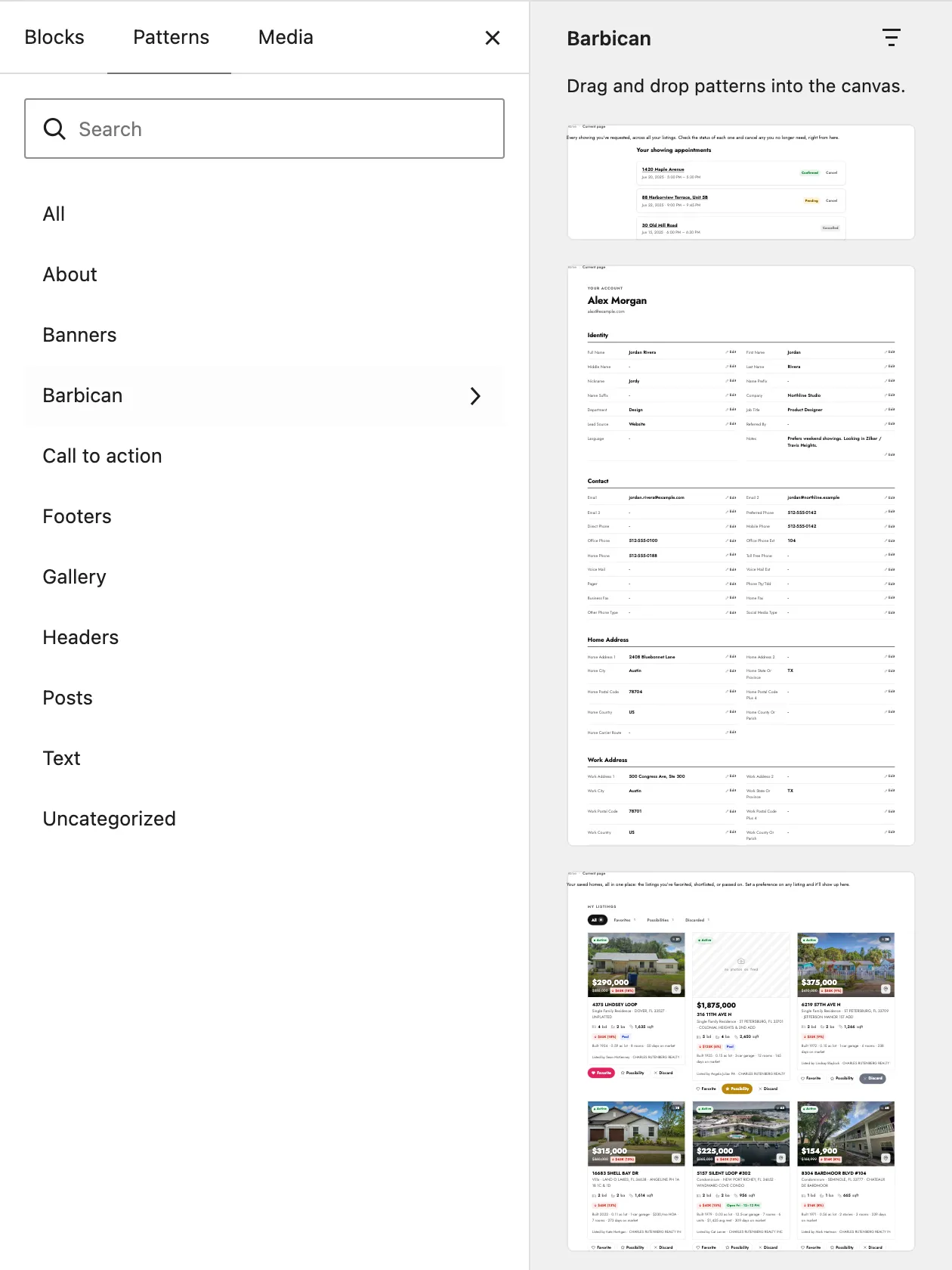
Open the block inserter (the + button) and choose the Patterns tab.
-
Select the Barbican category and pick a pattern.
-
It’s inserted as blocks. Rearrange, restyle, or remove anything — see Blocks for how each piece is configured.
Patterns are arrangements; the pieces they arrange are the blocks themselves. Next: Blocks — what each Barbican block is, and the three layers of customization that make them yours.